Software giveaway sites let you claim paid applications for free during limited-time promotions. The catch is not always the download itself, but what happens after activation. One offer may provide a perpetual license for a particular version, while another expires after a year, excludes future updates, or cannot be reactivated after reinstalling Windows.
Platforms such as Giveaway of the Day, SharewareOnSale, and developer-run promotions provide different ways to find these deals. Before claiming one, check the publisher, activation deadline, license terms, and installer source. Understanding those details helps you separate a useful full-version giveaway from a temporary offer with restrictions you might overlook.
Where to Find Software Giveaways Worth Checking
Not every software giveaway site operates the same way. Some publish daily promotions arranged with developers, others distribute their own applications, and a third group collects deals from multiple sources. Knowing which type you are visiting makes it easier to find relevant offers without checking dozens of websites.
Daily Software Giveaway Platforms
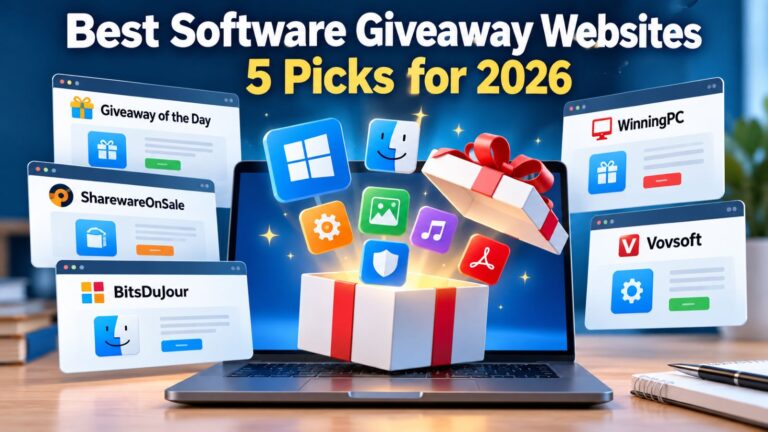
Giveaway of the Day and SharewareOnSale are familiar starting points for limited-time software promotions. Their catalogs change as offers begin and expire, so they are most useful when you want to discover paid applications that happen to be available for free.
BitsDuJour combines software discounts with occasional 100% off promotions. Unlike a conventional deal aggregator, it also arranges promotions with software developers. Its listings include both free offers and products that still require payment, making it important to check the actual price rather than assuming every featured application is a giveaway.
Developer-Run Software Giveaways
Some software companies organize promotions for their own products. These can be convenient because the developer is easier to identify, and you can inspect the regular product documentation alongside the giveaway conditions. You also have a clearer starting point if you need to ask about licensing or compatibility.
Vovsoft provides a practical example. Its software giveaway page lists promotional applications with individual expiration dates, including offers distributed through partner platforms. You can identify the product, check whether the promotion is still active, and inspect the developer’s regular product information before proceeding.
A developer-run giveaway does not automatically include better license rights. Some promotions use special activation methods, restrict future upgrades, or distribute builds intended specifically for the campaign. The advantage is greater visibility into the publisher and product, not a guarantee that every offer will suit your needs.
Giveaway Aggregators and Deal Trackers
Aggregators collect software promotions from different sources. Giveaway Radar, for example, helps users discover offers published elsewhere rather than acting as the original software publisher. This can save time when you want a broader picture of available deals without visiting every developer individually.
An aggregator listing is still only a starting point. It may remain visible after the original promotion has expired, or it may omit an activation condition that matters later. Return to the original offer before downloading and check the publisher’s information when the licensing terms are unclear.
When building a shortlist, compare software giveaway websites by how often their offers change, how clearly they explain activation, and where they direct users to download. Two or three dependable sources are usually more useful than an extensive collection of links you rarely check.
How Do Free Software Giveaway Sites Work?
A software publisher normally charges for an application, then temporarily allows users to obtain it without paying. The promotion may run on the developer’s website or through a distribution partner. Claim periods range from a single day to several days or longer, depending on the campaign.
The deadline typically determines when new users can claim a license, not necessarily how long an activated copy will remain usable. Those rights depend on the promotion’s terms. Two giveaways from the same platform can therefore have substantially different conditions, even when both are advertised as free full versions.
What Does “Free Full Version” Actually Mean?
A free full version generally means that the promotional license unlocks the paid feature set rather than providing only a restricted trial. However, the description does not guarantee access to future releases, permanent technical support, or unlimited installations.
Consider a photo editor normally sold for $40. A giveaway might provide its complete editing features and let you use the current version indefinitely. You could still lose access to major upgrades or need to purchase another license after replacing your computer. Another promotion might unlock those same features for only twelve months, after which continued use requires payment.
The important distinction is between functionality and licensing rights. A program can be fully functional today while carrying restrictions that matter months or years later.
Which License Limits Matter Most?
Before installing giveaway software, identify the conditions that determine how useful the license will remain. Restrictions do not automatically make a promotion unattractive, especially when you only need the current version for personal projects. However, the terms can become important when you change computers, update your operating system, or begin using the software commercially.
Pay particular attention to:
- Whether the license includes future updates or upgrades.
- Whether personal and commercial use are both permitted.
- Whether activation requires an online account or registration key.
- Whether you can reinstall the software after replacing your computer.
- Whether technical support is included.
- Whether the license covers one device or several.
Do not assume that all promotions on the same website follow identical rules. SharewareOnSale’s license and update terms explain that licensing, support, updates, and compatibility depend on the individual product. The relevant offer page and developer’s conditions should therefore guide your decision.
If those details are unavailable, the zero-dollar price is not enough reason to install the application. An unclear license may create problems precisely when you begin depending on the software.
Giveaway Software Is Not the Same as Freeware
Giveaways, freeware, trials, discounts, and freemium applications often appear together in searches for free software. They can all reduce the amount you spend, but they provide different rights and levels of access. The difference matters when you want a fully functional application rather than a temporary evaluation copy.
| Type | What It Usually Means |
|---|---|
| Software giveaway | Normally paid software becomes free to claim during a promotional period |
| Freeware | Software remains free under its regular license |
| Free trial | Paid software can be used temporarily before payment becomes necessary |
| Discount promotion | The normal price is reduced, but you still pay |
| Freemium software | Basic features remain free while advanced capabilities require payment |
A 70% discount may represent good value, but it is not a free software giveaway. Similarly, a fourteen-day trial lets you evaluate an application without granting a permanent paid license.
This distinction becomes particularly important on deal websites that mix free offers, discounted subscriptions, and trials. A product can have a prominent “Free Download” button while still requiring payment after installation. Check the final price and license conditions instead of relying on the promotional headline.
How to Check a Software Giveaway Before You Claim It
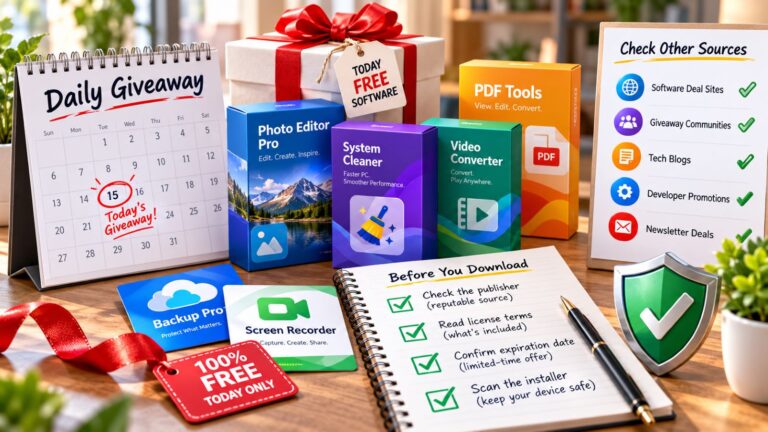
You do not need an elaborate investigation for every promotional download. A consistent six-step check can reveal unclear licensing, expired offers, and questionable distribution methods before you install anything. Most of these checks take only a few minutes, and they become easier once you know where a platform displays its conditions.
- Identify the software publisher. Confirm that the application name, developer, and version match the official product information. An older release may still be useful, but you should know which version the giveaway covers.
- Check the offer deadline. Determine when the promotion closes and whether activation must be completed during the claim period. Downloading an installer does not always preserve the right to activate it later.
- Read the license conditions. Look for restrictions on commercial use, upgrades, reinstallations, and the number of devices. Establish whether the offer grants perpetual use or access for a fixed period.
- Understand the activation method. Some giveaways provide a registration key by email, while others require an account, activation page, or special installer. Keep the license details and confirmation message if you intend to use the software after the promotion.
- Trace the download source. Follow the link from the promotion to the developer or clearly identified distribution partner. Unexpected redirects, unrelated file hosts, and password-protected archives deserve additional scrutiny.
- Scan the installer before running it. Use your normal security software and investigate unexpected warnings rather than disabling protection to complete the installation. A legitimate promotion should not require you to weaken your computer’s security without a clear explanation.
These checks are most useful before installation, while you can still walk away without changing your system. If a promotion makes it difficult to identify the developer or understand the activation conditions, look for a more transparent offer rather than rushing to claim it before the deadline.
How Can You Tell Whether a Software Giveaway Site Is Safe?
A trustworthy giveaway site makes important information accessible. You should be able to identify the publisher, understand the offer deadline, review the license, and follow a reasonable path to the installer. Professional-looking design alone does not establish that a download is safe.
The relationship between the promotion and the developer matters. An official developer page or a clearly identified distribution partner provides a better starting point than an anonymous download mirror. Even then, check whether the application is still maintained and whether the offered version matches the product you expected. An authentic installer for an obsolete application can still create compatibility or security concerns.
On Windows, right-click the downloaded file and select Show more options → Scan with Microsoft Defender, if that option is available. If you use another antivirus product, scan the installer with that software instead. Neither method replaces checking the publisher and download source.
A clean scan cannot establish that a license is legitimate or that an application will behave exactly as advertised. Review the permissions the program requests and whether its advertised functionality matches the publisher’s description. Security scanning is one useful check, not a substitute for understanding what you are installing.
An unfamiliar giveaway platform is not automatically dangerous. However, repeated redirects to unrelated download sites, an unidentified publisher, or missing licensing details are reasonable grounds to skip an offer. There will be other promotions, and missing one is less costly than installing software you cannot confidently verify.
Common Mistakes With Free Software Giveaways
Some giveaway problems become apparent only after a successful installation. The software may initially work as expected, making it easy to overlook the restrictions attached to its promotional license. Trouble often begins when the user upgrades the program, replaces a computer, or tries to recover a lost activation key.
Losing the registration email can create particular difficulties. If the campaign has ended and the publisher does not support reactivation, recovering access may be impossible. Keep the license information, original download source, and relevant account details together so you can refer to them when needed.
There is also little value in collecting applications simply because they cost nothing. Unused software consumes storage, may add background services, and creates another program that requires maintenance. A worthwhile giveaway should solve a genuine problem rather than merely add another license to your collection.
Are Software Giveaway Sites Worth Using?
Software giveaways can be attractive for utilities, productivity applications, photo editors, backup tools, and specialized programs that you would otherwise need to purchase. The savings are real when the promotional license covers the features you need and the conditions fit your intended use.
A standard commercial license may offer easier reactivation, technical support, future upgrades, or permission to use the software commercially. A giveaway sometimes trades those benefits for a zero-dollar price. That can still be a reasonable arrangement when the current version already meets your requirements and you do not expect to need major changes.
Consider two different applications. A simple image converter might remain useful for years without substantial updates, making a restricted giveaway license perfectly adequate. A backup application that needs regular compatibility and security updates is a different proposition. If the promotional license prevents important updates or makes restoration difficult after reinstalling Windows, paying for a maintained version may offer better long-term value.
The decision should depend on the software’s role, not merely its normal retail price. A free application that you cannot update, reinstall, or legally use for your work may be less useful than an inexpensive alternative with clearer licensing and ongoing support.
What Happens After a Software Giveaway Ends?
The end of a promotion does not automatically disable software that was activated during the claim period. What happens next depends on the license duration, activation system, and publisher’s update policy. These details become especially important when you plan to keep using an application for months or years rather than trying it briefly.
Does the License Stop Working When the Giveaway Ends?
Usually not if the promotion granted a perpetual license and you activated it correctly. The deadline generally prevents new claims rather than disabling existing installations, although the exact conditions depend on the publisher.
However, a lifetime software license may apply only to a particular release without including future upgrades or guaranteed reactivation after reinstalling your operating system. Fixed-term promotional licenses work differently and may expire after six months, a year, or another stated period.
The word “lifetime” therefore needs context. It may describe the duration of your right to use a specific version, not an obligation for the developer to provide new versions indefinitely. The distinction matters when you want a program to remain useful across several computer upgrades.
Can You Reinstall Giveaway Software Later?
Sometimes, but the answer depends on the original activation method. A saved registration key may remain valid after reinstalling Windows, while another promotion might rely on an activation server or campaign-specific installer that is no longer available.
Before depending on a giveaway for essential work, check whether the publisher allows reactivation on the same or a replacement computer. Saving the original installer and license details may help, but it cannot override the terms or restore a discontinued activation service. If reinstalling is important, confirm the conditions while the promotion is still active.
Will You Still Get Updates?
Some giveaways include minor updates within the same major version, while others remain tied to the exact build distributed during the promotion. Major upgrades commonly require a separate paid license, even when the original application continues working.
An application that functions well today may eventually become incompatible with a newer operating system or dependent service. Security and compatibility updates matter particularly for backup, networking, and internet-connected software, so consider the consequences of using an older version before making it part of an essential workflow.
Can You Use the Software for Business?
Only if the license explicitly permits commercial use. A giveaway may unlock every feature while restricting installation to personal or non-commercial purposes, regardless of what the regular paid version allows.
That distinction matters when software is used for client projects, business documents, or paid services. Review the promotional license before installing the application on a work computer. A fully functional program is not necessarily licensed for every type of work.
A Short List Works Better Than Chasing Every Giveaway
Software giveaway sites are most useful as a way to discover legitimate limited-time promotions, not as a source of unlimited free software. Keep a small group of recognizable platforms, inspect each offer individually, and pay more attention to the license than to the size of the advertised discount.
The strongest giveaway is not necessarily the application with the highest regular price. It is the one you can obtain from a trustworthy source, activate correctly, and continue using under terms that match your needs. A few minutes spent checking those details before downloading can prevent considerably more work later.