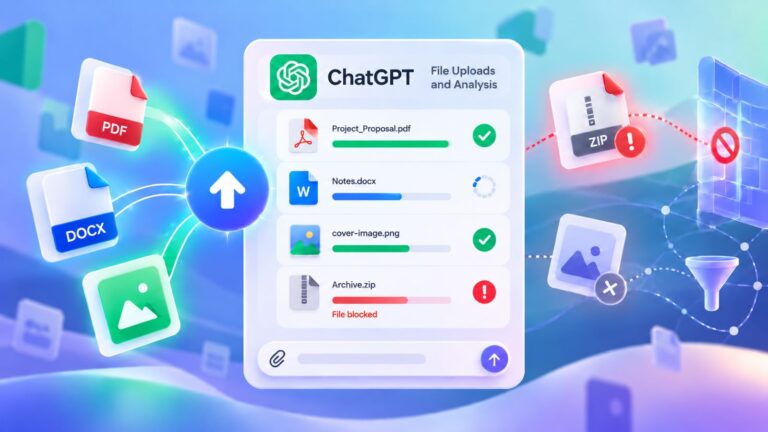

AI chatbots have quietly become file assistants. People upload resumes, contracts, invoices, spreadsheets, PDFs, screenshots, code files, medical forms, legal letters, business plans, and half-finished drafts because it feels fast and convenient.
Sometimes that is genuinely useful. A chatbot can summarize a long PDF, explain a spreadsheet, compare two versions of a document, or turn rough notes into something readable. The trouble is that files are rarely as clean as they look. A simple PDF may contain a signature, address, invoice number, hidden author name, or client detail. A screenshot can expose browser tabs, email addresses, account names, bookmarks, notifications, or a private file path.
Spreadsheets create their own surprises. The sheet you see may not be the only one in the workbook, while a Word document can still carry comments, tracked changes, author information, and other details left behind during editing.
So the real question is not only, “Can this AI tool read my file?” A better one is: what am I handing over that I did not intend to share? As a practical rule, avoid uploading an original sensitive file when a cleaned copy, excerpt, or sample can do the job.
Pause Before The Upload
Files containing passwords, API keys, private keys, banking details, tax records, medical records, government IDs, legal material, confidential work data, customer lists, private photos, or unreleased creative work deserve special caution. The same applies to information that belongs to someone else or that you do not have permission to share.
That does not make every upload dangerous. A public brochure, redacted draft, sample spreadsheet, user manual, or generic template may pose little risk. Problems begin when a file contains details that could harm you, your employer, your client, or another person if an outside service stored, reviewed, copied, or exposed them.
Before sending a file to an AI tool, ask three questions:
- Does it contain personal, financial, legal, medical, technical, or business-sensitive information?
- Do I have permission to share this material with an outside AI service?
- Can I remove names, numbers, signatures, private notes, or hidden data first?
Any hesitation is a good reason to stop and prepare a reduced version instead of sending the original.
Why This Is Not Just A Theory
The financial consequences of poor data handling can be substantial. IBM’s Cost of a Data Breach Report 2025 puts the global average cost of a data breach at $4.4 million. The same report says 63% of organizations lacked AI governance policies to manage AI or prevent shadow AI, while 97% of organizations that reported an AI-related security incident lacked proper AI access controls.
Those numbers describe organizations, but the everyday version is much simpler. One careless upload can contain passwords, customer data, source code, private health information, internal plans, or financial details that never needed to leave your device in the first place.
Why AI File Uploads Feel Safer Than They Are
A chatbot window feels private. There is no public post, comment section, or visible audience. You drag in a file, ask a question, and get an answer, so the interaction can feel more like using a calculator than sending a document to an online service.
But it is still an online service. The provider may process the file, retain it for some period, and handle it according to the settings and terms attached to your account. Personal, business, education, and enterprise products may follow different rules.
OpenAI’s official page on file storage and Library in ChatGPT explains that ChatGPT can save uploaded files to a user’s Library, and deleting the related chat does not necessarily remove those Library files. OpenAI also explains that it may use individual-user content to improve model performance when the relevant setting is enabled.
Google’s Gemini Apps Privacy Hub provides a similar reason to check settings rather than make assumptions. Depending on the configuration, Google may use Gemini activity and uploaded content to improve its services, including review by humans when Keep Activity is on.
The bigger everyday problem is often less technical: people simply forget what their files contain. A badly cropped screenshot can reveal a private email in one corner. A PDF may retain metadata. A workbook can hide extra sheets that never appear on the first screen.
For many tasks, the chatbot does not need the entire original. A selected page, redacted passage, cleaned spreadsheet, or representative sample can provide enough context without handing over everything else.
Files That Should Stay Out
Some types of files deserve a much higher threshold before they leave your device, even when the request itself sounds harmless.
Passwords And Login Details
Do not use a chatbot to organize, clean, rewrite, or explain a file containing passwords or login information. Password manager exports, shared team credential sheets, two-factor backup codes, account recovery answers, admin credentials, Wi-Fi passwords, and screenshots of login instructions all belong in this category.
Asking AI to “sort this password list by account type” may look like a routine productivity task, but the convenience is not worth the exposure. Passwords belong in a trusted password manager, not in a general-purpose chat window.
API Keys And Developer Secrets
Developers face the same problem in a different form. A project folder can hide credentials in files that rarely attract attention during normal development.
Check carefully for:
- .env files
- SSH private keys
- API keys
- OAuth secrets
- database credentials
- cloud access tokens
- service account files
- production config files
- backup files containing credentials
Even code with no obvious password can reveal proprietary logic, internal endpoints, customer data structures, security assumptions, or details about production systems. For debugging, isolate the problem in a small reproducible example, strip out secrets, and replace private names with placeholders rather than sending an entire private repository.
IDs, Passports, And Immigration Papers
Passport scans, ID cards, driver’s licenses, residence permits, visas, birth certificates, and immigration documents can expose an unusually dense collection of personal data. One file may contain your legal name, birth date, address, ID or passport number, photo, signature, nationality, travel details, and family information.
An AI tool usually needs very little of that information to explain a form field or help create a checklist. Describe the issue in plain language when possible. When a document excerpt is necessary, remove names, numbers, photos, barcodes, signatures, and addresses from the copy you provide.
Bank Statements And Tax Records
Financial files are easy to underestimate because they often look like rows of numbers. In reality, bank statements, credit card statements, tax returns, payroll files, loan applications, invoices, mortgage documents, investment reports, and payment screenshots can reveal account details, addresses, transaction history, client relationships, income, debt, and spending habits.
For budgeting or spending analysis, give the chatbot a summary rather than the raw statement:
| Category | Monthly Total |
| Rent | 900 |
| Groceries | 420 |
| Utilities | 160 |
| Transport | 110 |
The chatbot still receives the structure needed for useful analysis, while your individual transactions and account details remain outside the conversation.
Medical And Legal Documents
Medical and legal files require extra care because a disclosure can create personal, financial, professional, or legal consequences. Lab results, hospital papers, prescriptions, insurance documents, therapy notes, diagnosis reports, employment contracts, NDAs, settlement agreements, court papers, lease disputes, legal letters, and intellectual property agreements can all contain details unrelated to the question you actually want answered.
AI can help explain general language or organize questions, but it should not replace a doctor, lawyer, or other qualified professional. When you only need help with one clause or term, remove names, addresses, signatures, ID numbers, policy numbers, contract numbers, and unrelated pages.
Instead of uploading a complete document, you might provide a cleaned excerpt and ask:
I removed names and private details. Explain this clause in plain English and list questions I should ask a lawyer.
For general medical terminology, the same principle applies:
Explain these general blood test terms in simple language. Do not diagnose me.
The goal is to provide enough context for the task without attaching unrelated personal history.
Confidential Work Files
With workplace documents, privacy is only part of the issue. You may not have the authority to send the information to an outside AI service at all. Internal presentations, product roadmaps, sales reports, customer lists, meeting notes, HR files, hiring plans, investor updates, unreleased campaigns, private message exports, email threads, and strategy documents can all fall under company rules or contractual restrictions.
Many organizations now distinguish between approved enterprise AI accounts and personal chatbot accounts. Others prohibit particular types of data regardless of the tool. When the policy is unclear, keep private company material out of the chatbot until you know what the organization permits.
Customer Lists And Personal Databases
A customer database is not “just a spreadsheet.” CRM exports, subscriber lists, order histories, support tickets, survey responses, lead lists, appointment records, student records, and patient records may combine names, emails, phone numbers, addresses, purchases, complaints, account status, and other behavior in one place.
When the goal is pattern analysis rather than individual identification, anonymize the data first. Remove direct identifiers and unnecessary notes, replace real people with labels such as Customer 001 and Customer 002, and group sensitive values where exact numbers are unnecessary.
Screenshots, Photos, And Screen Recordings
Images often reveal details that the person sharing them never intended to include. An error screenshot might expose open tabs, email accounts, bookmarks, folder paths, admin panels, invoices, customer names, or private notifications. A photo can capture a home address, license plate, child’s face, employee badge, private paperwork, or location information.
Crop screenshots to the relevant area, blur private details, inspect the edges and background, and check whether the image carries location data. When the only thing you need explained is one error message, there is little reason to share the rest of the screen.
Unpublished Work And Business Ideas
Writers, designers, founders, teachers, marketers, and other creators often use AI for feedback, but unpublished work can still carry commercial or intellectual value. Manuscripts, paid templates, course materials, pitch decks, app concepts, brand strategy, client deliverables, original research, scripts, product ideas, unreleased designs, and private lesson materials deserve the same deliberate treatment as other confidential files.
For valuable work, smaller excerpts usually make more sense than full originals. Remove client-specific material and confirm that the platform and account type match the level of confidentiality involved.
Files That Are Usually Lower Risk
Public, generic, or deliberately prepared files generally present fewer privacy concerns. Examples include:
- public PDFs
- public manuals
- public reports
- generic templates
- non-sensitive school notes
- redacted drafts
- sample spreadsheets with fake data
- open-source code snippets
- product brochures
- documents created specifically for testing
Even a low-risk file deserves a quick inspection. A public PDF may be harmless on its own, while your annotated copy of that same PDF could contain private comments, an account name, or internal notes.
Clean The File Before Sharing It
Make a separate copy and leave the original untouched. In the copy, remove full names, addresses, phone numbers, emails, account and ID numbers, signatures, photos, client names, and confidential company references that the AI does not need. Placeholders such as [CLIENT NAME], [CITY], [ACCOUNT NUMBER], [COMPANY NAME], or [EMAIL REMOVED] preserve context without exposing the original values.
Next, inspect information that may not appear immediately on screen. Documents can carry comments, tracked changes, author names, hidden text, previous edits, and file properties. Spreadsheets may contain hidden sheets, hidden columns, notes, formulas, filters, pivot tables, or external data connections. Images can include location details, device information, faces, house numbers, or private paperwork in the background.
Then reduce the upload to the part that matters. A question about one contract clause rarely requires a 50-page agreement. A formula problem does not need the entire financial workbook, and one debugging error does not justify sending a complete private codebase. Less irrelevant material also gives the chatbot a cleaner problem to work with.
Use Sample Data When The Real Data Is Not Necessary
Many analysis tasks depend on structure rather than real identities. A sample spreadsheet with invented names, fake email addresses, rounded figures, grouped categories, and a few representative rows can still help an AI explain formulas, suggest cleanup rules, identify patterns, or propose segmentation.
The same approach works for code examples, budgets, customer segments, sales tables, and support-ticket categories. Reproduce the shape of the problem while leaving the people, accounts, and confidential values behind.
If You Already Uploaded Something Sensitive
Act promptly once you realize that a sensitive file entered a chatbot. Delete the file or conversation where the platform provides that option, then review the service’s privacy, retention, and data settings rather than assuming deletion solved everything.
Credentials need a stronger response. If the upload contained a password, API key, access token, private key, or recovery code, rotate or replace it immediately. Treat a potentially exposed credential as compromised instead of relying on removal of the chat.
For employer, client, school, or organizational data, follow the relevant incident-reporting process. Financial information may also justify monitoring the affected account or contacting the bank, payment provider, or institution involved. When the file contained personal data belonging to other people, remember that privacy obligations may depend on your country, industry, and relationship to those individuals.
A Quick Upload Checklist
Before sending a file, confirm that:
- it contains no passwords, secret keys, or access credentials;
- you removed personal information that the task does not require;
- financial and medical details are not unnecessarily exposed;
- your organization allows you to share any work or client data involved;
- you checked metadata, comments, and tracked changes;
- you reviewed hidden spreadsheet sheets and columns;
- screenshots show only the relevant area;
- placeholders replace names, emails, account numbers, and similar identifiers where possible;
- the upload contains only the pages, rows, images, or paragraphs needed for the task;
- your AI account settings match the sensitivity of the material.
One final test works surprisingly well: if losing control of the original file would make you embarrassed, angry, worried, or frightened, do not send that original to a general-purpose AI service.
Give AI Less Than The File Contains
AI chatbots can be useful file assistants. They can summarize, compare, rewrite, classify, explain, and organize information quickly, but convenience does not remove the privacy decisions that come before the upload.
Public material, cleaned copies, selected excerpts, and purpose-built sample data are usually easier to justify than files containing secrets, identities, financial information, health data, legal details, private business plans, customer records, or information you have no authority to share.
Often, a cleaned copy, a short excerpt, or realistic sample data gives the chatbot everything it needs. That is the habit worth building: share enough to solve the problem, not everything the original file happens to contain.