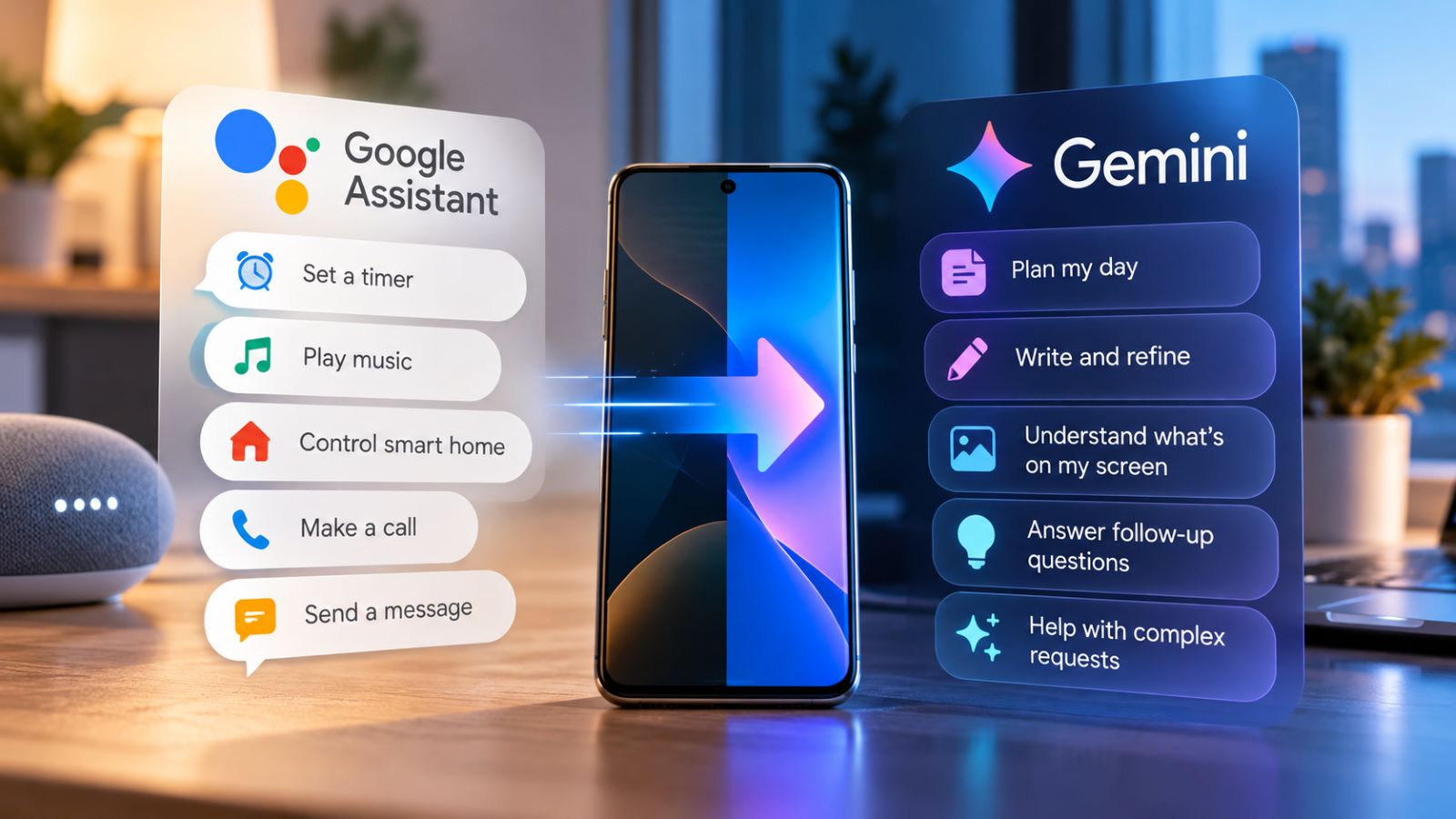
Gemini vs Google Assistant used to be a choice between two different kinds of help. Google Assistant was good at the small jobs you wanted finished immediately: set a timer, send a message, play a song. Gemini was built for longer conversations and requests that needed some thought. In 2026, that distinction still explains their strengths, but Google’s retirement of the classic mobile Assistant has changed the decision itself.
For many Android users, the old assistant is no longer an option. What matters now is whether Gemini handles familiar commands reliably, where its newer abilities are genuinely useful, and which habits might need to change.
Gemini vs Google Assistant in 2026
Google Assistant excelled at short voice commands: calls, alarms, routines, and connected devices rarely called for much conversation. Gemini takes on many of those jobs while adding longer dialogue, writing assistance, and visual understanding.
More capability does not automatically improve every interaction. A quick voice command and an extended planning session call for different measures of success. A timer needs to start promptly; a draft needs to survive multiple rounds of editing. The comparison is more useful when those jobs are judged on their own terms.
| Feature | Traditional Google Assistant Experience | Gemini on Android in 2026 |
|---|---|---|
| Timers and alarms | Built around direct voice commands | Supported through device assistance |
| Calls and messages | Fast actions through supported services | Available with compatible apps and permissions |
| Music and podcasts | Familiar playback requests | Available through supported media connections |
| Smart home control | Established Google Home controls | Supported through connected services |
| Routines | Established automation features | Supported, with limits on some actions |
| Follow-up questions | Relatively limited dialogue | More flexible conversational context |
| Writing and summaries | Basic assistance | Drafting, revision, and document work |
| Camera and screen context | Limited visual interaction | Visual questions and Gemini Live on supported devices |
The two products are not completely separate beneath the surface. Gemini still uses elements of Google Assistant technology for some quick actions, including parts of the “Hey Google” and Voice Match experience. That helps explain why an old wake phrase can open a new assistant, even though the classic mobile Assistant is being retired.
Is Google Assistant Still Available on Android?
Google began discontinuing Google Assistant on mobile on September 3, 2026, with the change rolling out across devices rather than arriving everywhere at once. Once the older assistant has been removed from a phone, there is no supported switch that brings it back. Reinstalling the Gemini app does not reverse the transition. The settings shown in an older tutorial may simply no longer exist on your device.
If your phone still offers Google Assistant, the older switching option may remain visible. On devices that have completed the transition, that option is no longer available. A missing switch-back menu does not necessarily indicate a fault with the phone; the more useful question is whether Gemini can perform the actions you need.
Which Google Assistant Features Does Gemini Support?
Many familiar Google Assistant functions still work in Gemini, although their availability depends on the device and connected services. Gemini can respond to a wake phrase on eligible phones and perform supported device actions, but the result may depend on permissions and connected apps. A command that once worked automatically may now require a service to be linked or a setting to be enabled.
Calls, Messages, Timers and Music
Timers and alarms are straightforward functions to test, and Gemini can manage them through device assistance. It can also open apps and handle some phone settings. Calls and messages depend more heavily on which communication apps your device supports and what permissions you have granted. Even when Gemini understands the request, completing the action may require an available connection.
Media is less consistent across services. Gemini can play music through compatible providers, including YouTube Music and Spotify, and supported connections can play podcasts through Spotify or iHeartRadio. Live radio playback and some provider-specific commands remain limited. Media connections can also behave differently in Gemini Live: among Spotify, Pandora, and iHeartRadio, only Spotify currently works in Live chats.
These are service differences, not a blanket inability to play podcasts. The available Gemini media connections also depend on account configuration, and some third-party services require Keep Activity to be enabled. If playback fails, check the connection before assuming Gemini misunderstood you.
Smart Home Controls and Routines
Gemini can control supported smart home devices through Google Home and start compatible routines. For households that have spent years refining their automations, the details matter more than the headline feature.
Gemini can start supported routines, but some starters and actions remain incompatible. If a routine includes an unsupported action, Gemini may tell you that it cannot complete it. This includes steps requiring a back-and-forth exchange, and spoken information may also behave differently from the classic Assistant experience.
If your morning routine turns on lights, adjusts a thermostat, and gives a briefing, check the entire sequence rather than stopping after the first successful command. Recognition of the routine’s name is only the first step.
Where Gemini Goes Beyond Google Assistant
Gemini becomes more useful when a request grows beyond a single action. Give it a budget, a schedule, and several constraints for a weekend trip, then change the destination or remove an activity. It can revise the plan while carrying forward the earlier requirements. You still need to check prices, opening hours, and other details that could make the plan impractical.
That conversational approach also helps with writing: Gemini can turn rough notes into an email, summarize a file, or adapt an explanation for different readers. Instead of rebuilding the prompt each time, you can ask for a shorter version, a changed tone, or a different structure.
Gemini Live, Camera and Screen Understanding
Gemini Live extends that interaction into spoken conversation. You can interrupt, ask a follow-up, or change direction without treating every question as a separate command. On supported devices, camera and screen sharing add visual context, such as a control panel you cannot identify or an unfamiliar setting in an app. Availability varies by device and account.
Those capabilities are particularly useful when typing would be awkward or a description alone would leave out essential details. You can also use Google Gemini for everyday tasks such as file analysis, planning, and drafting directly in the app, without treating it as your phone’s always-on assistant.
What Might You Miss After Switching to Gemini?
A more capable conversational system is not automatically a better replacement for every habit. If you use an assistant mainly to start music, run a routine, or place a call while cooking, reliability may matter more than the sophistication of its explanations. The old Assistant was designed around those brief interactions, and Gemini’s compatibility still varies across services.
Some radio requests, provider-specific playback actions, and routine steps may not transfer cleanly. The traditional Assistant interpreter experience should not be assumed to work in the same way either. Account restrictions, language support, and lock-screen permissions can further affect what Gemini can do on a particular phone. Two people may therefore encounter different limitations while asking for the same task.
The frustrating part is often one familiar command no longer doing precisely what it used to. You may appreciate Gemini’s planning features and still need to adjust a daily automation; those are separate judgments.
What Happens to Google Assistant on Other Devices?
A change on your Android phone does not update every Google-powered device in the house or car. Mobile accessories, car systems, and smart speakers follow different software paths, even when they respond to similar voice commands.
Android Auto works through a connected phone, while cars with Google built-in run software in the vehicle itself. Gemini availability, supported commands, and rollout timing can therefore differ between the two. Wear OS watches and headphones may have compatibility requirements of their own rather than mirroring every feature on the phone. An assistant working well on one screen says little about whether it is available on another.
Google Home and Nest speakers and displays have a separate transition to Gemini for Home. Supported households can get more conversational voice assistance, but the change is not equivalent to choosing an Android default app. Under Google’s current migration process, a household that upgrades to the new voice assistant cannot switch back to the classic Google Assistant experience.
If you depend on several devices, check each category independently before changing settings. Otherwise, it is easy to confuse a phone-level limitation with a restriction in the car or smart home system.
Does Gemini Work on Every Android Phone?
The standard Gemini mobile app generally requires Android 9 or later and at least 2 GB of RAM. Availability also varies by region, language, account type, and feature, so two phones running a similar Android version may not offer identical controls.
Android Go devices have a different option. Gemini Go is a lighter assistant for eligible devices with at least 2 GB of RAM, accessed through the Google Search app rather than the standard Gemini app. Google is introducing it gradually to replace Assistant Go. The Gemini Go setup requirements help distinguish an unsupported phone from one that may still be awaiting access.
A missing feature does not necessarily indicate poor AI performance. Before drawing that conclusion, check whether your language, account, device software, and connected apps actually support it.
How to Check Whether Gemini Handles Your Everyday Tasks
You do not need the old Google Assistant installed to make a useful assessment. Start with tasks you already perform on your phone, then add one or two that would have been difficult for a traditional voice assistant. That gives you a practical measure of continuity as well as new capability. Try these five checks:
- Ask Gemini to start a five-minute timer, then add two minutes and confirm the remaining time.
- Send a short message through a supported app, checking the recipient before sending.
- Start a familiar smart home routine and make sure every expected action finishes.
- Request a day plan with several constraints, then change one without repeating the entire request.
- Share a screen or use Gemini Live’s camera to ask about something visible on a supported device.
Look for different outcomes in each case. A timer should start correctly and with little effort; a plan should remain coherent after you change its constraints. If a routine fails halfway through, identify which step failed before blaming the assistant as a whole. That detail often points to an app connection or automation limitation rather than a misunderstood command.
Can You Use Android Without Gemini as Your Default Assistant?
On supported Android devices, you can select another available digital assistant or None, leaving Gemini out of the default assistant role. Voice activation, power-button actions, and lock-screen access may have separate settings, so removing the default assignment does not necessarily change every shortcut.
If Gemini keeps opening unexpectedly, removing it as your default Android assistant can stop standard assistant activation while leaving the app available for manual conversations. That change does not delete your activity history or disconnect linked services; privacy controls must be reviewed separately.
Is Gemini Really an Upgrade From Google Assistant?
For drafting, complex questions, visual help, and requests that evolve through follow-ups, Gemini offers more than the traditional mobile Assistant. It also handles many familiar Android commands. The transition is less disruptive when those actions carry over, but compatibility gaps can still get in the way. A service that refuses a familiar playback command may matter more to someone than a new feature they rarely use.
The clearest way to judge the change is to separate the two jobs an assistant now performs. Does it complete the small actions you rely on, and does its expanded conversational ability help you do something useful that you could not do before? If both answers are yes, Gemini is a meaningful upgrade. If the first answer is still no, the missing piece is worth fixing before the new features will feel like much of an improvement.