
A useful ChatGPT prompt begins with a clear request, not a complicated formula. The model needs to know what you want, which information matters, and how you intend to use the answer. Good instructions reduce avoidable guesswork without turning a simple question into a lengthy specification.
To write an effective prompt for ChatGPT, clearly define your task, provide relevant context, specify any important constraints, and explain what kind of answer you need.
Learning how to write a prompt for ChatGPT is largely a matter of choosing those details well. You can start with a short request, inspect the response, and refine the parts that didn’t work. The examples below show when extra context helps and when it only gets in the way.
What Makes a Good ChatGPT Prompt?
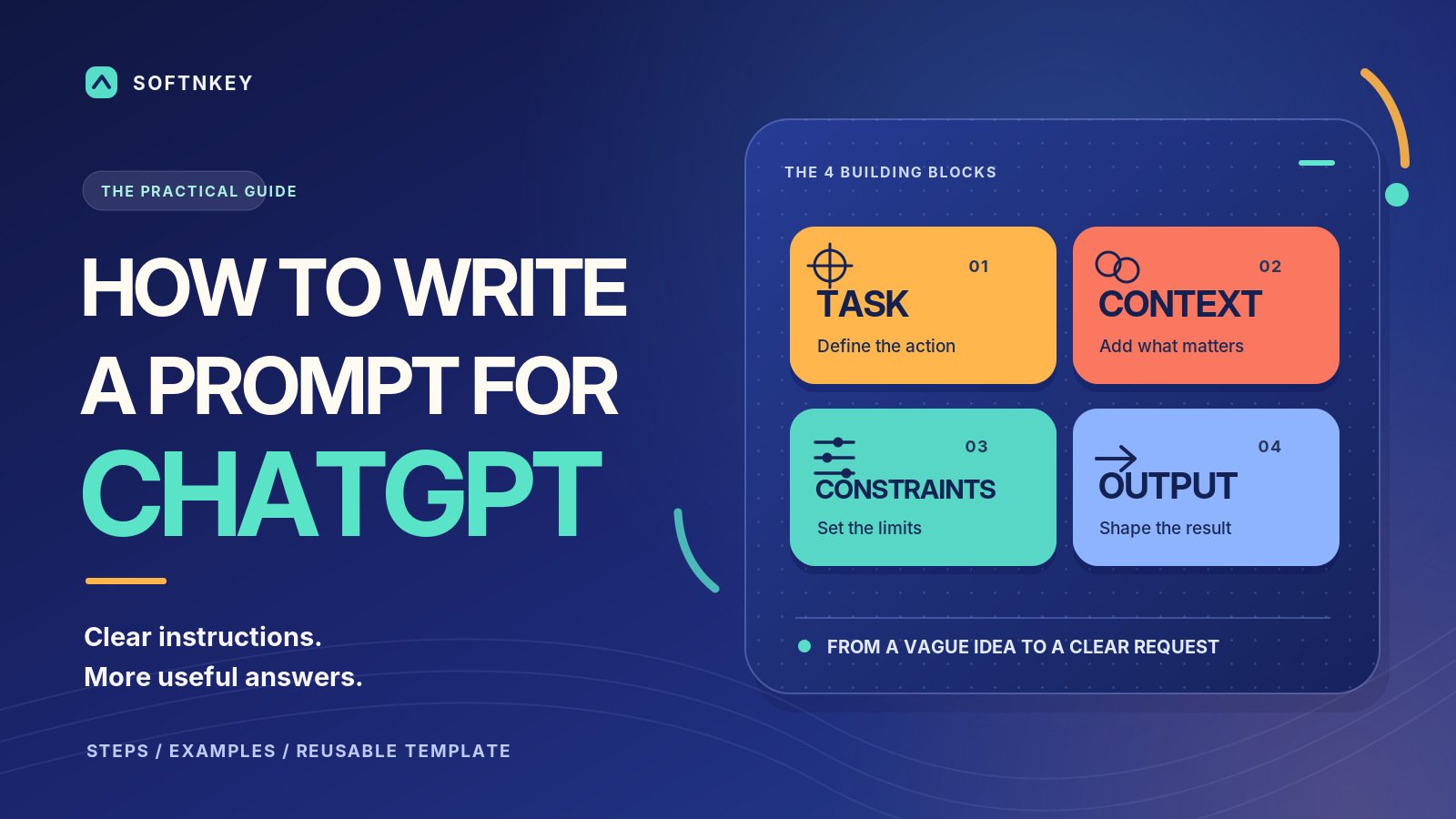
An effective prompt identifies a task and gives ChatGPT enough context to carry it out. A simple question may need nothing more than a topic and an audience, while a detailed report needs source material and clear requirements. There’s no advantage in filling every possible field if those details won’t change the answer. Four elements are worth considering when the result must meet particular requirements:
- Task: The action you need, such as summarizing, comparing, rewriting, or troubleshooting.
- Context: The audience, purpose, background facts, and source material.
- Constraints: Boundaries such as length, language, exclusions, or facts to preserve.
- Output: The format you’ll actually use, such as an email, table, or numbered procedure.
For example, “Explain RAM and storage to a beginner” is already a practical prompt. By contrast, “Prepare a proposal” leaves the audience, objectives, and evidence undefined. OpenAI’s prompting recommendations favor clear instructions and refinement over unnecessary complexity.
How to Write a Prompt for ChatGPT Step by Step
Describe the outcome before listing preferences about style. “Help with customer emails” could mean writing, analyzing, or organizing them, whereas “Rewrite this email to explain a shipping delay” establishes a specific task. Then add only the facts and boundaries that affect the message. Use this sequence when a request needs more structure:
- State the action: Explain what ChatGPT should produce or do.
- Supply context: Identify the reader, purpose, and relevant facts.
- Set boundaries: Mention what must stay unchanged or be excluded.
- Choose a format: Specify length or structure when needed.
- Review the result: Correct the part that missed your goal.
Suppose a replacement order will arrive two days late and the customer has already contacted support. A vague prompt could generate an apology with an invented explanation or an unauthorized discount. That possibility makes the dates and the limits on compensation important. This version gives ChatGPT a usable brief:
Write a customer email explaining that a replacement order will arrive Thursday instead of Tuesday. The customer has already contacted support once. Use a calm, direct tone, stay under 150 words, and don’t promise a refund or discount. Invite the customer to reply if the new date causes a problem.
The prompt provides the necessary facts without scripting every line. You can assess the response against the dates, tone, word limit, and company policy. If only one requirement fails, revise that part instead of starting over.
Weak vs. Effective ChatGPT Prompts With Examples
Vague prompts are fine for brainstorming but less helpful when you need a deliverable you can use immediately. Compare these ChatGPT prompt examples to see how audience, evidence, and constraints alter the task. The stronger versions don’t rely on elaborate role-playing.
| Task | Weak Prompt | Better Prompt |
|---|---|---|
| Meeting summary | Summarize these notes. | Summarize these notes for absent teammates. List decisions first, then action items with owners and deadlines. Flag missing assignments. |
| Software choice | Which plan is better? | Compare the two plans using the prices and features below. Show the differences in a table. Flag missing information before recommending one. |
| Troubleshooting | Fix my slow PC. | My Windows 11 laptop slows down during video calls. Suggest reversible checks before resets. Explain what each check would reveal. |
The better software prompt allows an inconclusive recommendation when facts are missing. The troubleshooting version asks for diagnosis instead of pretending the cause is already known. In both cases, the improvement comes from clearer expectations rather than extra instructions for their own sake.
How to Specify Format, Tone, and Constraints
A clear output format saves editing when the answer must fit an existing workflow. Ask for a table when comparing prices or numbered steps when following technical instructions. Don’t specify a structure merely because it looks organized; choose one that helps the reader use the information.
Tone is easier to communicate through an audience than through vague adjectives. “Professional” could mean formal and distant or simply direct and respectful, depending on the situation. Describing the intended reader helps resolve that ambiguity. A short example establishes the distinction:
Write for a customer who understands the product and wants a direct answer. Avoid promotional language and exaggerated claims. Explain technical terms only when they affect the decision.
Use firm limits when they’re genuine requirements, such as an email character limit or a fixed form field. Otherwise, allow enough room for the answer to develop naturally. Requiring five recommendations can create filler when only three are useful, while demanding “complete detail in 50 words” creates conflicting instructions.
How to Improve a ChatGPT Prompt That Isn’t Working
Before rewriting a prompt, diagnose the response itself. Was it generic, factually uncertain, poorly formatted, or based on information you never supplied? Different problems require different corrections, and adding more rules to every attempt can make the task harder to follow.
When the Answer Is Too Generic
A request for customer retention ideas might produce predictable advice about loyalty programs and better service. Those ideas aren’t necessarily wrong, but they don’t address a particular business problem. The model needs the constraints that determine which suggestions are practical. Supply the circumstances that would change the recommendations:
Focus on a subscription business with high cancellations in the first month. Suggest experiments that existing teams could run within 30 days. Explain what each experiment would measure and avoid ideas requiring new software.
This gives ChatGPT a business model, timeframe, and operational limit. If the next response still lacks detail, choose one suggestion and request implementation steps or trade-offs. Repeating “make it specific” offers less useful direction than identifying what is missing.
When ChatGPT Ignores Your Requirements
A response may contain good ideas but use the wrong format or alter a required fact. When the substance is acceptable, ask for a focused edit rather than a complete rewrite. Protect the useful parts while correcting the presentation. One possible follow-up is:
Keep the existing content but organize it into the three requested sections. Preserve all product names and numbers. Don’t introduce new claims or change the conclusions.
If the same problem returns, check the original instructions for contradictions or competing priorities. Remove unnecessary conditions or separate tasks that require different outputs. Better prompting cannot compensate for missing evidence or capabilities the model doesn’t have.
When to Use Examples or Multi-Step Prompts
An example can clarify a writing style that’s difficult to describe. Supply a short approved sample and explain whether ChatGPT should follow its tone, terminology, or structure. Make clear that factual details from the example should not be copied into unrelated content.
For many routine writing tasks, one or two clear examples can be enough. More samples can confuse the task if they follow conflicting styles, so identify which features should carry over. For broader help, OpenAI’s ChatGPT prompting guidance covers developing instructions through context and follow-up requests.
Multi-step prompting becomes valuable when one decision depends on another. A business proposal, for instance, shouldn’t be finalized before you’ve examined the available evidence and chosen a strategy. A staged approach lets you evaluate the reasoning before drafting. Break the job into checkpoints:
- Identify the objective, evidence, and unanswered questions.
- Compare two approaches and explain their trade-offs.
- Draft using the selected approach and verified information.
This provides opportunities to correct assumptions before they enter a finished document. It also prevents a polished draft from making weak reasoning harder to notice. For shorter tasks, targeted follow-ups are generally sufficient; the basics of working with ChatGPT need no elaborate workflow.
How to Handle Missing Information and Uncertain Facts
A detailed prompt can improve relevance without guaranteeing accuracy. ChatGPT may misread a document or produce a plausible but unsupported claim, especially on changing regulations, prices, or software features. Ask it to distinguish what the supplied material establishes from what still requires verification.
Use the information below without inventing missing values. Separate confirmed facts from assumptions. Flag important claims that require external verification, and explain what evidence would resolve them.
For time-sensitive information, request up-to-date sources and check that the cited pages support the answer. Asking ChatGPT to review its own work can catch formatting mistakes and contradictions, but it doesn’t independently verify facts. Important decisions still require looking at the underlying evidence.
Share only the input needed for the task. Passwords, confidential records, and irrelevant personal details don’t become safe to disclose because a prompt is well written. Check what not to upload to AI chatbots before attaching sensitive documents.
A Reusable ChatGPT Prompt Template
A reusable template helps when you regularly request structured deliverables. It separates the main task from background information and helps you notice missing requirements. Use only the fields relevant to the request rather than filling them all for appearances.
Task: [What should ChatGPT produce or accomplish?]
Context: [Who is it for, and why is it needed?]
Inputs: [Which facts, examples, or documents should it use?]
Requirements: [What must remain unchanged or be excluded?]
Output: [What format and length would be useful?]
Missing information: [Should it ask questions or flag assumptions?]
Final check: [Which concrete requirements should be reviewed?]
For example, here’s how the completed template could look when analyzing customer feedback:
Task: Summarize the customer feedback provided below.
Context: Our team needs to prioritize onboarding improvements.
Inputs: Use only the supplied survey responses.
Requirements: Group repeated complaints, preserve reported numbers, and avoid guessing at causes.
Output: Create a table showing each issue, its frequency, supporting evidence, and a possible next step.
Missing information: Flag unclear responses.
Final check: Verify that issue counts match the supplied responses.
For a detailed analysis, most of these fields may help. A quick email rewrite might need only the source text, audience, and preferred tone. The final-check field is useful for checking requirements, not for claiming that outside facts have been verified.
A better prompt isn’t necessarily a longer one. State the result, add information that affects it, and refine the response when needed. The instructions should make the actual work easier, not become the most complicated part of it.